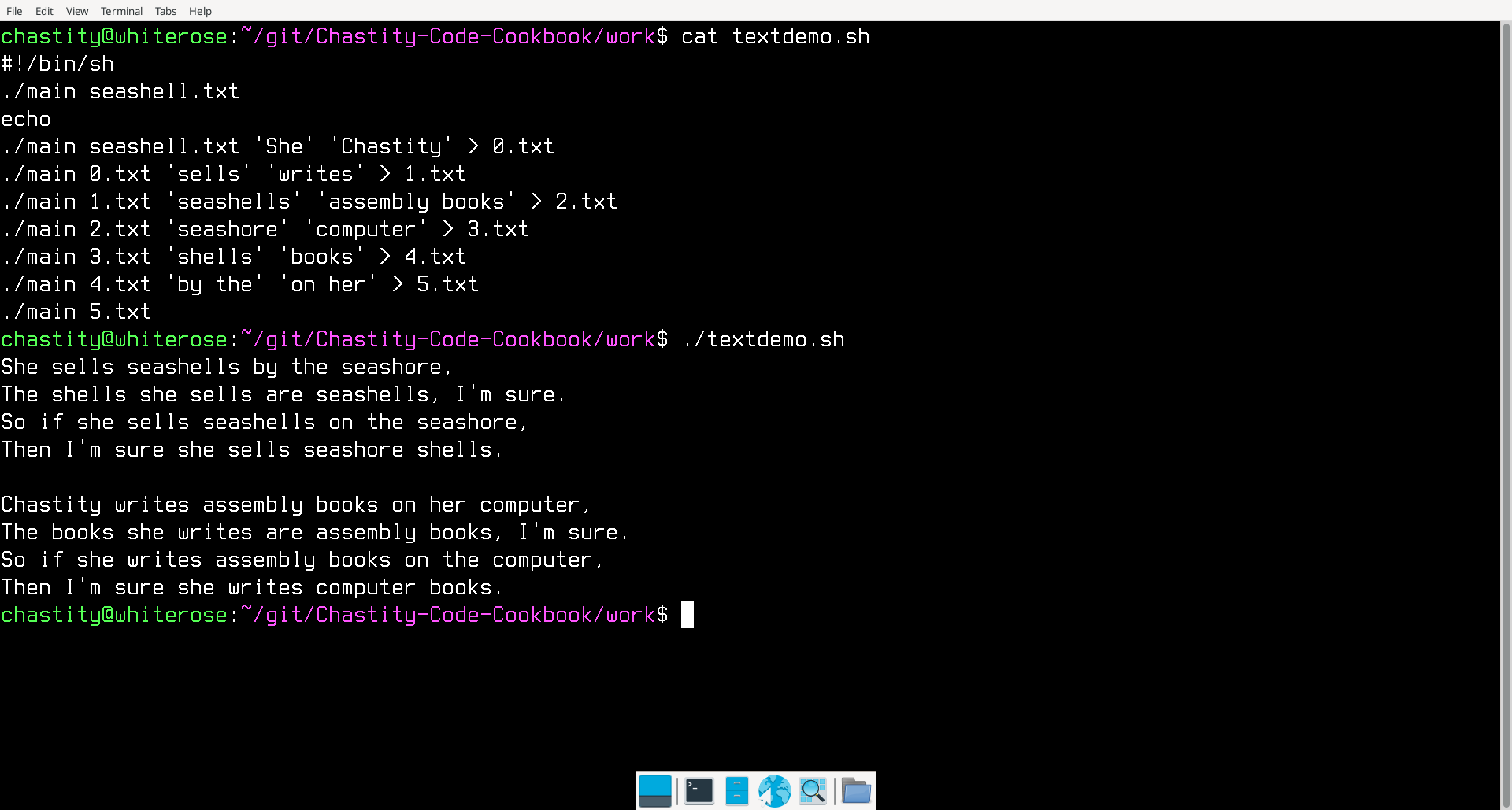
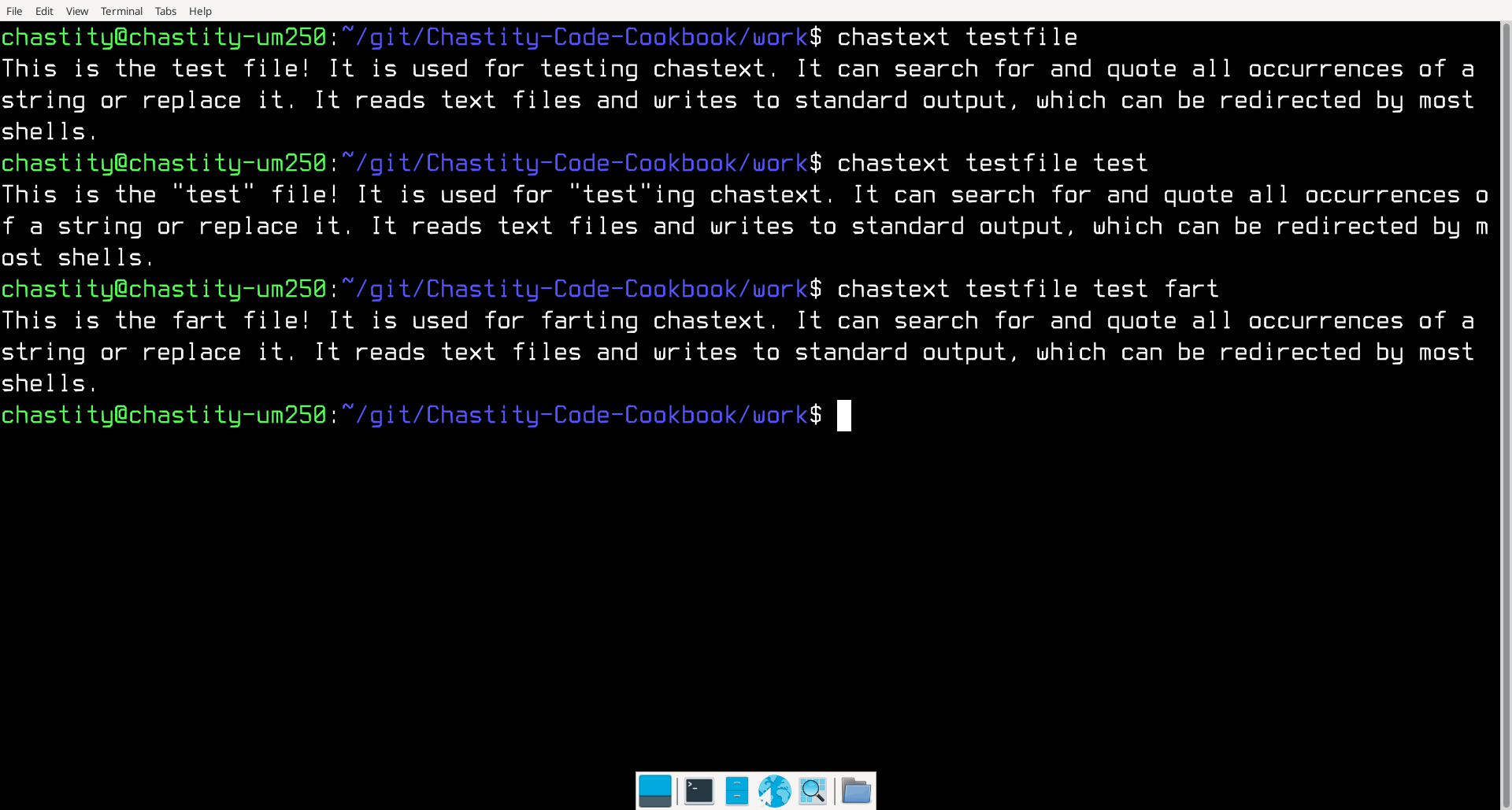
I wrote another assembly program. This one works with text files instead of binary files. It can do a search and replace of all occurrences of a string in a text file. This could be useful for translating programs between programming languages or editing text configuration files. This screenshot is an example of how it can be used.
;Linux 32-bit Assembly Source for chastext
;a basic text search and replace program
format ELF executable
entry main

;a reduced form of chastelib without functions this program doesn't use
include 'chastext-chastelib32.asm'

main:

pop eax
mov [argc],eax ;save the argument count for later

cmp dword [argc],1
ja help_skip ;if more than 1 argument is given, skip the help message and process the other arguments

help:
mov eax,help_message
call putstring
jmp main_end
help_skip:

pop eax ;pop the next arg which is the name of the program we are running

get_filename:
pop eax ;pop the next arg which is the name of the file we will open

mov [filename],eax ; save the name of the file we will open to read

arg_open_file:

;Linux system call to open a file

mov ecx,0   ;open file in read only mode
mov ebx,eax ;filename should be in eax before this function was called
mov eax,5   ;invoke SYS_OPEN (kernel opcode 5)
int 80h     ;call the kernel

cmp eax,0
jns file_open_no_errors ;if eax is not negative/signed there was no error

;Otherwise, if it was signed, then this code will display an error message.

mov eax,open_error_message
call putstr_and_line

jmp main_end ;end the program because we failed at opening the file

file_open_no_errors:

mov [filedesc],eax ; save the file descriptor number for later use

;before we just textdump or "cat" the file, we need to check for the existence of more arguments which will modify the output

cmp dword[argc],3
jb search_skip

pop eax ;pop the next arg which is the string we are searching for
mov [string_search],eax

search_skip:

cmp dword[argc],4
jb replace_skip

pop eax ;pop the next arg which is the string we are searching for
mov [string_replace],eax

replace_skip:

;now we begin displaying the file but also searching for the search string if it exists. We will check for these based on the number of arguments like we did earlier

textdump:

;if only there are only 2 arguments (name of program plus input file)
;then we do a loop that ignores searching and replacing
;this loop will read one character from the file and then send it to stdout
;until there are no more bytes to display

cmp dword[argc],2
jnz putchar_skip

mov edx,1            ;number of bytes to read
mov ecx,byte_array   ;address to store the bytes
mov ebx,[filedesc]   ;move the opened file descriptor into EBX
mov eax,3            ;invoke SYS_READ (kernel opcode 3)
int 80h              ;call the kernel

mov [bytes_read],eax

cmp eax,0
jnz file_success ;if more than zero bytes read, proceed to display

jmp main_end ;otherwise, end the program

; this point is reached if file was read from successfully

file_success:

;normally, we will print the last read character
mov al,[byte_array]
call putchar

putchar_skip:

cmp dword[argc],3 ;if not enough arguments, skip the search string section
jb textdump

;this is the beginning of search mode
;it handles the file by seeking and reading to search every position for the search string

;first, seek to the file_address we initialized to zero
;this variable will be added to depending on actions taken

mov edx,0              ;whence argument (SEEK_SET)
mov ecx,[file_address] ;move the file cursor to this address
mov ebx,[filedesc]     ;move the opened file descriptor into EBX
mov eax,19             ;invoke SYS_LSEEK (kernel opcode 19)
int 80h                ;call the kernel

;obtain the length of the search string using my strlen function
mov eax,[string_search]
call strlen ;get the length of the search string

;use the length of the string we are searching for as the number of bytes to read at this location

mov edx,eax            ;number of bytes to read
mov ecx,byte_array     ;address to store the bytes
mov ebx,[filedesc]     ;move the opened file descriptor into EBX
mov eax,3              ;invoke SYS_READ (kernel opcode 3)
int 80h                ;call the kernel

mov ebx,byte_array     ;move the address of bytes read into ebx
add ebx,eax            ;add number of bytes read (return value of read function in eax)
mov byte[ebx],0        ;terminate the string with zero

mov [bytes_read],eax   ;store how many bytes were read with that last read operation

cmp eax,edx ;if the number of bytes is not what we expected to read, end this loop
jnz textdump_end

;move our two strings into the esi and edi registers for comparison
;with my custom written strcmp function

mov esi,[string_search]
mov edi,byte_array
call strcmp ;compare these two strings

cmp eax,0 ;test if they are the same (if eax returned zero)
jnz not_match ;if they are not a match go to that section for printing a character

;but if they are a match, then we either quote them
;or replace them if a replacement string is available

;but regardless of which action we do, since a match was found, let us add this count to the file address
;so that we read from beyond this point next time the textdump loop starts
mov eax,[bytes_read]
add [file_address],eax

cmp dword[argc],4 ;if less than 4 args, no replacement exist, so we quote the strings
jb print_quotes

;otherwise, we will print the replacement string instead of the original!

mov eax,[string_replace]
call putstring ;print the string

jmp textdump ;restart the main loop

print_quotes:
;print quotes around matched string
mov al,'"'
call putchar

mov eax,byte_array
call putstring ;print the string

mov al,'"'
call putchar

jmp textdump ;restart the main loop

not_match:

mov al,[byte_array]
call putchar
add [file_address],1 ;add 1 to the file address so we don't read this same position again

jmp textdump


textdump_end:

;print the remaining bytes, if any, left after the main loop ended
mov eax,byte_array
call putstring

main_end:

;this is the end of the program
;we close the open file and then use the exit call

;Linux system call to close a file

mov ebx,[filedesc] ;file number to close
mov eax,6          ;invoke SYS_CLOSE (kernel opcode 6)
int 80h            ;call the kernel

mov eax, 1  ; invoke SYS_EXIT (kernel opcode 1)
mov ebx, 0  ; return 0 status on exit - 'No Errors'
int 80h

;the strlen and strcmp are named after the equivalent C functions
;but are written from scratch by me based on their expected behavior

;a function to get the length of string in eax and return the integer in eax

strlen:

mov ebx,eax ; copy eax to ebx. ebx will be used as index to the string

strlen_start: ; this loop finds the length of the string as part of the putstring function

cmp [ebx],byte 0 ; compare byte at address ebx with 0
jz strlen_end ; if comparison was zero, jump to loop end because we have found the length
inc ebx
jmp strlen_start

strlen_end:
sub ebx,eax ;subtract start pointer from current pointer to get length of string

mov eax,ebx ;copy the string length back to eax

ret

;strcmp compares the string at esi to the one at edi
;eax returns 0 if the strings are the same and 1 if different
;the algorithm is simple but I will explain it for those who are confused

;eax is initialized to zero
;a byte from each string is loaded into the al and bl registers
;the bytes are compared. if they are different, then we jump to the end
;However, if they are the same, then we check if one of them is zero
;for this purpose it doesn't matter whether we compare al or bl with zero
;because it is known that they are the same if the jnz did not take place
;if it is zero, this also jumps to the end of the function
;If neither jump took place, then we jump to the start of the loop
;but when the function finally ends bl will be subtracted from al
;this ensures that the function returns zero if the final characters are the same

strcmp:

mov eax,0

strcmp_start:

;read a byte from each string
mov al,[edi]
mov bl,[esi]
cmp al,bl
jnz strcmp_end

cmp al,0
jz strcmp_end

inc edi
inc esi

jmp strcmp_start

strcmp_end:
sub al,bl

ret

help_message db 'chastext by Chastity White Rose',0Ah,0Ah
db '"cat" a file:',0Ah,0Ah,9,'chastext file',0Ah,0Ah
db 'search for a string:',0Ah,0Ah,9,'chastext file search',0Ah,0Ah
db 'replace string:',0Ah,0Ah,9,'chastext file search replace',0Ah,0Ah
db 'Find or replace any string!',0Ah,0

open_error_message db 'error while opening file',0

file_address dd 0 ;file address defaults to zero AKA beginning of file

;variables for managing arguments and files
argc rd 1
filename rd 1 ; name of the file to be opened
filedesc rd 1 ; file descriptor
bytes_read rd 1

string_search rd 1 ; place to hold the search string pointer
string_replace rd 1 ; place to hold the replacement string pointer

;where we will store data from the file
byte_array db 0xC0 dup 0
 Index
> Linux > chastext program for Linux
Index
> Linux > chastext program for Linux

 06 May 2026, 19:25