 Index
> Tutorials and Examples > Hobby BASIC, a simple yet powerful BASIC interpreter
Index
> Tutorials and Examples > Hobby BASIC, a simple yet powerful BASIC interpreterGoto page Previous 1, 2, 3, 4, 5, 6, 7 Next |
| Author |
|



|
dosmancer 15 Jun 2025, 21:22
Hi, hi.
Sorry. I tried starting it with `wine HB.EXE` at first but starting it by running `wineconsole HB.EXE` works much better. I see some minor artifacts in Breakout but most of the games I've tried works perfectly! Last edited by dosmancer on 15 Jun 2025, 22:34; edited 1 time in total |
|||
 15 Jun 2025, 21:22
 |
|
|
Picnic 15 Jun 2025, 22:17
That is very interesting. Thank you for testing it. The “Use Legacy Console” option must be enabled on Windows 10 and 11 for proper functionality in some of the programs. I am not sure how this setting behaves under Wine. Thank you again!
|
|||
|
15 Jun 2025, 22:17 |
|
|
Picnic 23 Jun 2025, 00:18
Hello everyone,
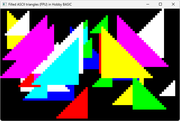
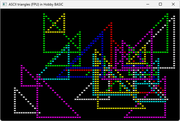
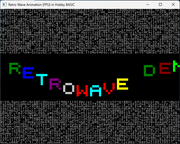
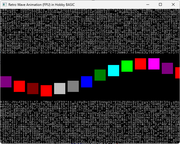
Hobby BASIC is quietly shaping up as a small game development platform for the Windows console, combining real-time ASCII graphics and animation with a spirit rooted in the '80s, a look inspired by the '90s, and a simplicity fit for today. Hobby BASIC v2.3.4 — a stable release with FPU string math support and sample code included. The online Get Started guide has been updated: • New examples have been added • The Troubleshooting section is improved • A brief note on the new FPU library is included More detailed documentation about the FPU functions can be found in the full Hobby BASIC manual. Console-only visuals with character-based rendering — 100% ASCII/ANSI. Windows 11 Console screenshots. 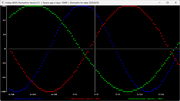 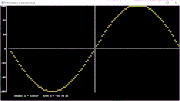 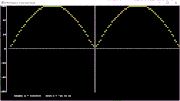 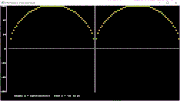 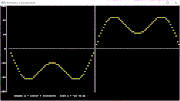
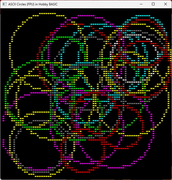 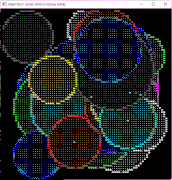
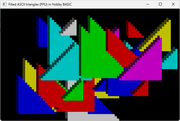  
  Last edited by Picnic on 26 Apr 2026, 15:21; edited 2 times in total |
|||
|
23 Jun 2025, 00:18 |
|
|
Picnic 08 Aug 2025, 19:55
Hello everyone,
A Boulder Dash-like game featuring ANSI graphics for the Windows 11 console, written in Hobby BASIC. 🔹Collect all gems to unlock the exit door. 🔹A door appears randomly in a different quadrant from the player. 🔹Reach the door before the countdown timer reaches zero. 🔹Remaining time is converted into extra time bonus. 🔹Runs on Windows 10/11 without requiring "Use legacy console" mode. The game's source code can be found in the folder: EXAMPLES\GAMES\WIN11\BDASH.BAS. Graphics created with DRAW, the Hobby BASIC graphics tool. Windows 11 console screenshots. 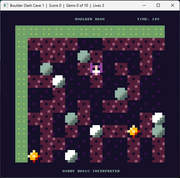 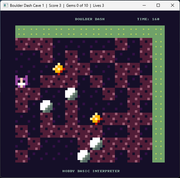
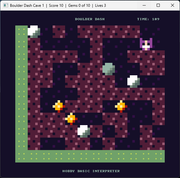 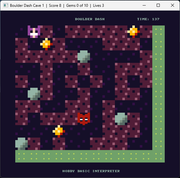
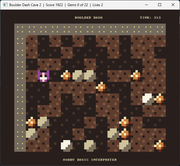 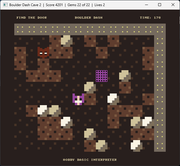
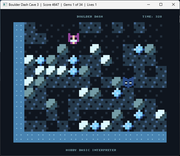 Last edited by Picnic on 26 Apr 2026, 15:21; edited 2 times in total |
|||
|
08 Aug 2025, 19:55 |
|
|
Picnic 26 Aug 2025, 22:56
Hello everyone,
Hobby BASIC v2.3.5 — a stable release that now supports direct Win32 API calls via the syscall command. There are still limitations (32-bit environment, Wide API only, simple structures), but the new capabilities should be quite useful for the size and philosophy of Hobby BASIC. The syntax is simple: Code:
syscall "dllname", "functionname", [arguments...] Notes and limitations: • Wide-character (W) API calls only • All integers are passed as 32-bit values (DWORD or handles) • Structures are supported only if fields are DWORD or pointers • You can simulate structures with DIM arrays and pass them BYREF • For smaller fields (e.g., WORD), use shifts and masks • The return value is always stored in system variable V0 syscall command – a few simple examples Code:
    ! simple message box
    syscall "user32.dll", "MessageBoxW", 0, "Hello from BASIC!", "Title", 0
Code:
    ! get current user name
    x = 256
    syscall "advapi32.dll","GetUserNameW", byref a$, byref x
    print "User Name: ", a$
Code:
    ! launch calculator
    syscall "shell32.dll", "ShellExecuteW", 0, "open", "calc.exe", 0, 0, 1
Code:
    ! milliseconds since boot
    syscall "kernel32.dll","GetTickCount"
    print "Milliseconds since boot: ", V0
Code:
    ! RECT structure (4 DWORDs: left, top, right, bottom)
    dim rect[4].ZERO
    syscall "kernel32.dll","GetConsoleWindow"
    hwnd = V0
    syscall "user32.dll","GetWindowRect", hwnd, byref rect[]
    width = rect[2] - rect[0]
    height = rect[3] - rect[1]
    print "Width:", width, " Height:", height
To test the new feature, I’ve added a new folder with API examples, including BALLOON.BAS, a simple animated scene running in the Windows 11 console, just for demonstration purposes. 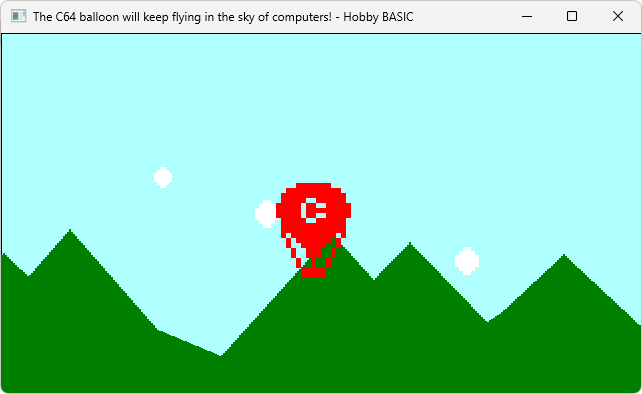 Last edited by Picnic on 26 Apr 2026, 15:21; edited 2 times in total |
|||
|
26 Aug 2025, 22:56 |
|
|
Picnic 01 Oct 2025, 22:28
Hello everyone,
New projects have been recently added to the Hobby BASIC EXAMPLES collection: • Super Tiny BASIC - Super Tiny BASIC is a ~900-line '80s-style BASIC interpreter written entirely in Hobby BASIC. • Lunar Lander - A modern implementation of the classic game with physics simulation and graphics. • Retro Climber - A classic platform game featuring puzzle challenges with pushing and climbing. Original concept by CHz (Cratopia) • Chain Reaction - A puzzle game where the goal is to match either color or shape to clear the board. Original concept by Andrea Gilbert (Chain Reaction) All programs are written entirely in Hobby BASIC 2.3.5. For Chain Reaction, as with Lunar Lander, the "Use Legacy Console" option must be enabled under Windows 10/11. Windows 11 Console Screenshots. 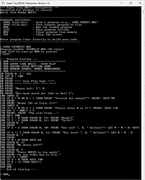 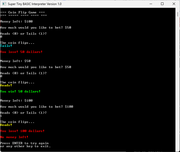 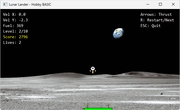 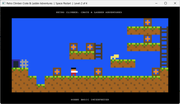 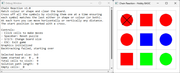 Last edited by Picnic on 01 Jul 2026, 22:34; edited 7 times in total |
|||
|
01 Oct 2025, 22:28 |
|
|
chastitywhiterose 06 Nov 2025, 05:40
QBASIC was my first programming language and got me started on my path to C and Assembly. I will recommend this as one of the BASIC interpreters for people new to programming. I haven't used BASIC for a long time, but it certainly has enough power to write almost anything.
|
|||
|
06 Nov 2025, 05:40 |
|

|
Picnic 06 Nov 2025, 12:33
Thanks for sharing your experience!
QBASIC definitely has its place in history, many of us started there. Hobby BASIC is something quite different though: it’s my own small project for Windows, built just for fun and learning. I’m developing it in my spare time, so it’s not really about comparing, just exploring and keeping the BASIC spirit alive. |
|||
|
06 Nov 2025, 12:33 |
|
|
Picnic 08 Nov 2025, 03:26
Hello everyone,
Laser League is a faithful remake of an original PuzzleScript game, rewritten in Hobby BASIC with ANSI graphics for the Windows 11 console. Lead a team of three heroes to solve laser puzzles and recover the stolen jewels from the Robber Baron! This remake was created with permission from the original PuzzleScript author, Tim Knauf. The heroes: 🔹 Bridget – strong and steady, pushes crates to block laser beams 🔹 Sophie – agile acrobat, rolls safely under active lasers 🔹 Zelda – small and quick, slips through tight spaces others can’t How it plays: 🔹 Lasers travel across rooms until they hit a wall or crate 🔹 Switches turn lasers on and off 🔹 Includes movable crates, collectible gems, tutorial screens, and a final boss 🔹 Each character has a unique death animation when hit by a laser Tech details: 🔹 ANSI-style graphics with 16 colors 🔹 Smooth tile-based rendering 🔹 Undo system – go back up to 1000 moves 🔹 13 levels with increasing challenge 🔹 Sound effects for actions and events All of this runs directly inside the Windows 11 CMD.EXE console. 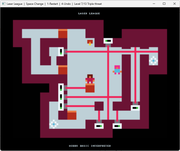 Last edited by Picnic on 01 Jul 2026, 22:35; edited 6 times in total |
|||
|
08 Nov 2025, 03:26 |
|
|
Picnic 30 Nov 2025, 22:31
Hello everyone,
Stephen’s Deadly Rooms of Death is a faithful remake of an original PuzzleScript game, rewritten in Hobby BASIC with ANSI graphics for the Windows 11 console. Become a master of swordsmanship in this turn-based tactical puzzle game. Move strategically and use your sword to defeat your enemies. Features: 🔹 ANSI graphics with 16 colors 🔹 Smooth tile-based rendering 🔹 Sword handling (pick up, rotate, push) 🔹 Enemies that move toward the player when in line of sight 🔹 Combat system with different rules for enemies and bosses 🔹 9 levels with increasing difficulty 🔹 Sound effects for actions and events 🔹 Full UNDO system All of this runs directly inside the Windows 11 CMD.EXE console. 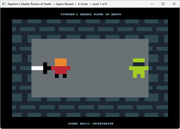 Last edited by Picnic on 01 Jul 2026, 22:35; edited 6 times in total |
|||
|
30 Nov 2025, 22:31 |
|
|
Picnic 10 Dec 2025, 23:31
Good day, everyone.
Upcoming version 2.4.1 of Hobby BASIC enhances the continuation character, the backslash (\), adding new capabilities. This seemingly minor but significant extension fundamentally reshapes Hobby BASIC syntax moving forward. ► Continuation character example prior to version 2.4.1: Code: print \ "hello" Equivalent to: print "hello" The limitation in previous versions: The line immediately after the \ character could not be empty nor contain comments - it had to directly continue the command. Examples causing syntax errors: Code: print \ ← empty line "hello" Code: print \ ! This is a comment "hello" I hadn't anticipated this syntax, even though it's absolutely logical and expected by users. The new version 2.4.1 corrects this oversight. Let's see the example again: Code: print \ ! Continue to next line ! <-- This empty space is now allowed in 2.4.1 "Hello world" ! Command completes here The difference is significant: it provides greater flexibility in code and, by extension, for the programmer, while simultaneously improving readability. ► Line Continuation Support for the TIMES command! The TIMES command: • Executes commands multiple times in one line • Uses the V3 variable as counter (zero-based: 0 to n-1) • Accepts multiple commands separated by colon : • Creates inline loops without needing separate FOR/NEXT lines Example: Code: times repeatCount swap 0, 0, 80, 11, 0, 12 : title repeatCount-V3 : wait 120 Equivalent to: Code: FOR i = 0 TO repeatCount-1 swap 0, 0, 80, 11, 0, 12 title repeatCount-i wait 120 NEXT i TIMES didn't support the continuation character. With version 2.4.1 we can break loops into multiple lines using the backslash (\) character! Old syntax (up to 2.4.0): Code: times 10 print "Hello" : print "World" : wait 100 Or even worse for nested loops: Code: times 5 times 5 print "X:", V3;" Y:", V3 New syntax (2.4.1): Code: times 10 \ print "Hello" : \ print "World" : \ wait 100 ► TIMES continuation examples: Test 1: Basic test with single line Code: times 3 print "Hello" Test 2: Multi-line with backslash Code: times 3 \ print "Line 1" : \ print "Line 2" : \ print "Line 3" Test 3: Backslash inside quotes Code: times 2 \ print "This has backslash \\ in string" : \ print "Another with '\' quote" Test 4: Complex expressions with arithmetic Code: times 4 \ x = V3 * 10 : \ print "Iteration ", V3, " value ", x Test 5: Nested commands with graphics Code: times 5 \ color \ RND(15), RND(15) : \ paint V3*5, V3*5, 5, 5, -1, 1 Test 6: With empty line continuation Code: times 3 \ print "Start" : \ \ print "Middle" : \ \ print "End" Test 7: Multiple backslashes on different lines Code: times 2 \ a = 1 : b = 2 : \ \ c = a + b : \ \ print "Sum = ", c : \ \ wait 100 Test 8: Backslash at end without space Code: times 3 print "Test"\ : print "Continued" Test 9: Backslash with empty lines and comments Code: times 3 \ ! Comment \ print "Hello" : \ print "World" Test 10: Zero count Code: times 0 \ print "This should not print" print "Skipped" ► Advanced TIMES continuation examples: Nested TIMES Code: print "Nested TIMES test:" times 2 \ print "Outer ", V3, ":" : \ times 3 \ print " Inner ", V3 inkey Nested FOR/TIMES with Full Continuation Support Code: for \ outer = 1 \ to 3 \ print "┌─ OUTER ITERATION ", outer, " ───────────────────────┐" : \ for \ middle = 1 \ to 4 \ print "│ Middle: ", middle, " " : \ times \ 2 \ print "│ Times[", V3, "] " : \ if \ V3 = 0 \ then \ print "First " : \ else \ print "Second" : \ print "│" next \ middle : \ print "└──────────────────────────────────────────────┘" : \ print ! Blank line next \ outer Dynamic Array Average Calculation Code: forever# dim data[5,5].RND 10000 data[].SIZE array_length = V0 times array_length : \ sum = 0 : \ times 5 \ value = data[V3,V3] : \ sum = sum + value : \ average = sum / 5 : \ print "row ", V3, " average: ", average goto forever With each iteration, I aim to make Hobby BASIC's syntax more programmer-friendly while keeping its BASIC DNA intact. Hobby BASIC is built from scratch in 100% Win32 Assembly, hand-coded parser, zero dependencies, straight byte crunching. ► New Examples in version 2.4.1 Two new examples have been added in the 2.4.1 update: CIRCLES.BAS - Multiple Random Circles Generator Creates random circles with different sizes, colors, and positions. EQUALIZER.BAS - Fully Parameterizable Equalizer / VU Meter Visual equalizer simulation with moving bars that react to random values. Screenshots from Windows 11 console. 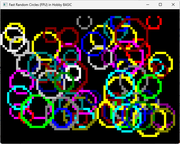 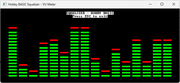 Last edited by Picnic on 26 Apr 2026, 15:22; edited 2 times in total |
|||
|
10 Dec 2025, 23:31 |
|
|
Picnic 25 Dec 2025, 21:12
Hello, Merry Christmas.
Some personal notes i'd like to share with the forum. Hobby BASIC is now entering its second decade. It continues to grow with new programs and games, while slowly evolving along the way. Looking back at projects made for Windows XP and comparing them with those running on Windows 11, the progress feels very real to me. As it moves forward, the future of the interpreter feels encouraging. Hobby BASIC was never meant to replace a daily programming language — it has always been a personal, hobby-driven project. It grew out of my time spent learning and experimenting with assembly using fasm, and it remains a simple BASIC-style language with a few unique and unconventional features, designed specifically for the Windows console. ► New Examples in version 2.4.2 Football with friends is a faithful remake of an original PuzzleScript game, rewritten in Hobby BASIC with ANSI graphics for the Windows 11 console. It's going to take some fancy footwork to solve these football themed logic-puzzles. Coordinate your team-mates to strike a perfect goal, but do take care not to lose a ball in the long grass! Can you solve every puzzle before the final whistle? Features: 🔹 ANSI graphics with custom 16-color palette 🔹 Tile-based rendering 🔹 Efficient redraw system (only changed tiles) 🔹 Complete UNDO system with move history 🔹 Ball physics with realistic movement 🔹 Team coordination mechanics (adjacent players) 🔹 Opponent AI with two behaviors: direct hit and adjacent pass 🔹 Goal system with win/lose conditions 🔹 Sound effects for kicks, goals, and collisions All of this runs directly inside the Windows 11 CMD.EXE console. 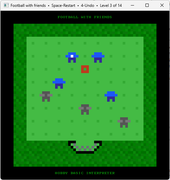 Last edited by Picnic on 01 Jul 2026, 22:36; edited 5 times in total |
|||
|
25 Dec 2025, 21:12 |
|
|
Picnic 04 Jan 2026, 16:58
The first interpreter update of 2026
With this update, Hobby BASIC 2.4.3 brings expressive power that previously required multiple lines of code, without sacrificing the simplicity and ease of classic BASIC. Additionally, two new commands for array handling have been added: MIN and MAX. Code: ! Some methods return a value, which is stored in V0. ! These are: COUNT, FIND, MATCH, SIZE, SUM, MIN, MAX, FILE, and COMPARE. ! Other methods perform an in-place operation and do not return a value. ! STRING ARRAYS (Strings only) ! a$[].FILE dpath$ - List dir content ! a$[].FILE fpath$ - Read file lines ! a$[].SORT - Sort array alphabetically ! STRING/INTEGER ARRAYS (Both types) ! a$[].ZERO - Fill with zeros/empty strings ! a$[].SHUFFLE - Shuffle array elements ! a$[].REVERSE - Reverse element order ! a$[].COPY b$[] - Copy b[] into a[] ! a$[].SWAP b$[] - Swap contents with b[] ! a$[].DELETE idx [, ...] - Delete elements by index ! a$[].INSERT idx, v [...] - Insert values at index ! a$[].FIND x - Find first index of value ! a$[].SIZE - Return array dimensions ! a$[].OUT [indent] - Print full array ! INTEGER ARRAYS (Integers only) ! a[].FILL value - Fill with a value ! a[].RND max - Fill with random values ! a[].SET start - Fill with consecutive values ! a[].COUNT x - Count occurrences ! a[].SUM - Sum of array values ! a[].MIN - Minimum array element (0 if empty) ! a[].MAX - Maximum array element (0 if empty) ! a[].MATCH x [...] - 1 if match found, else 0 ! a[].REPLACE a, b - Replace a with b ! a[].ASSIGN b[] x [...] - Store matches from b[] ! a[].COMPARE b[] - Compare with b[] ! a[].SORTA - Sort ascending ! a[].SORTD - Sort descending ► Basic Examples Code: ! BEFORE: Indirectly with variables a[].SUM if V0 > 100 then print "Large total" ! AFTER: Directly in expression if a[].SUM > 100 then print "Large total" ! NEW: MIN and MAX print "Range:", a[].MAX - a[].MIN ► In Conditions Code: ! BEFORE: Multiple intermediate variables data[].SUM sum = V0 data[].MAX max = V0 if sum > 50 and max < 20 then print "OK" ! AFTER: All in one line if data[].SUM > 50 and data[].MAX < 20 then print "OK" ! NEW: In SELECT CASE select case values[].MIN case < 0: print "Contains negatives" case > 100: print "All above 100" endsel ► Reading Files Code: ! BEFORE: Two steps dim lines$[1000] lines$[].FILE path$ count = SIZE(lines$[]) - 1 ! AFTER: One command count = lines$[].FILE path$ ! returns the line count if count > 0 then print "Lines: ", count ► Compare Arrays Code: ! BEFORE: Via function COMPARE(a[], b[]) result = V0 if result = 1 then print "Equal" ! AFTER: Directly as condition if a[].COMPARE b[] then print "Arrays are identical" ! NEW: Combinations if a[].COMPARE b[] and a[].MAX < 100 then print "Valid" ► The New Additions: MIN and MAX Code: ! Finding value range dim temps[7] = 15, 22, 18, 25, 20, 16, 24 range = temps[].MAX - temps[].MIN ! 25 - 15 = 10 ! Boundary checking if temps[].MAX > 30 then print "Heat warning!" if temps[].MIN < 10 then print "Cold warning!" ! With empty array they return 0 dim empty[] print empty[].MIN ! 0 print empty[].MAX ! 0 Hobby BASIC combines the nostalgia of the 486 era with modern language features, through clean design and assembly implementation. Below we see an example that contains: 🔹Low-level: Syscall, Stack operations 🔹High-level: Array methods, Subroutines 🔹Data types: Int arrays, String arrays, Stack arrays 🔹Math: Integer, Floating-point (FPU) 🔹Control flow: Conditions, Loops (times) 🔹I/O: Debug output, Color control 🔹Type conversion: Automatic int→string for FPU Code: ! Hobby BASIC: Peak expressiveness push -1,-2,-3 ! stack values dim data[] = RND()%100, \ ! array with random init RND()%100, POW(2,8) sub stats(arr[]) ! user subroutine syscall "kernel32","GetTickCount" ! Windows API call debug("Ticks:",V0," Min:",arr[].MIN," Max:",arr[].MAX) rets arr[].SUM>100 ! array method in return ends if stats(data[]) ! subroutine as condition dim a[3] : a[].COPY stack[] ! copy stack to regular array dim words$[] = "Alpha","Beta","Gamma" ! string array color 12,0 : debug("SUM="+STR(data[].SUM)," Stack:",stack[V3]) a[].REVERSE ! reverse integer array words$[].REVERSE ! reverse string array ! FPU string math: calculate average with floating point debug("Avg:",FDIV(STR(data[].SUM), STR(SIZE(data[])))) times 3 : debug(a[V3], "=", words$[V3]) ! parallel iteration inkey ! wait for any key press endif Last edited by Picnic on 26 Apr 2026, 15:22; edited 2 times in total |
|||
|
04 Jan 2026, 16:58 |
|
|
Picnic 13 Jan 2026, 00:26
Hello, everyone.
Spikes 'n' Stuff is an adventure game written in Hobby BASIC. It is a port of a game that was originally created in PuzzleScript to my interpreter. The game pushes the interpreter a little further. Hobby BASIC is now stable and mature enough to handle even more demanding and complex games. Original concept by Alan Hazelden (Spikes 'n' Stuff) You move through dangerous levels, avoiding deadly spikes and arrow traps, using the undo system to find the safe path. The first part is ready. It is a complete, standalone puzzle game. The core mechanics (spikes, arrows, undo system) are fully implemented. There are ideas for future expansions, such as the GEM mechanics (second part). Features: 🔹Turn-based gameplay 🔹ANSI graphics with 16 colors 🔹Tile-based rendering 🔹Simple pseudo-3D effects on walls 🔹Fast redraw only where needed 🔹Full UNDO system 🔹Arrow traps that activate when they see you 🔹Bullet movement and collision 🔹Spikes with simple animation 🔹Level transitions 🔹Simple player death animation 🔹Optional sounds All of this runs directly inside the Windows 11 CMD.EXE console. 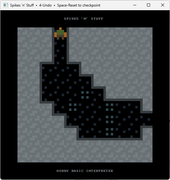 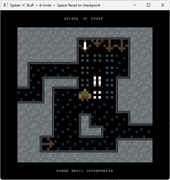 Last edited by Picnic on 01 Jul 2026, 22:39; edited 9 times in total |
|||
|
13 Jan 2026, 00:26 |
|
|
Picnic 21 Jan 2026, 21:04
Hello everyone,
Hobby BASIC v2.4.6 ────────────────── A refinement release building upon v2.4.5's stability. • The SNAP command now saves and loads the FULL console state, including the color palette! This is a major change, and I will be writing more about it soon. All v2.4.5 programs remain fully compatible. • A new command for array management has been added, bringing the total number of commands to 27. This command displays the contents of an array directly in the DEBUG window, so program execution is not interrupted. • A ready-to-use configuration file for Notepad++ (UDL v2.1) is now available, allowing Hobby BASIC code to be displayed with syntax highlighting inside Notepad++. The file is located in: DATA\SYNTAX\Notepad++\Hobby_BASIC.xml. Installation instructions are included, as well as instructions for running Hobby BASIC programs from Notepad++ with a single key press. • The manual has been updated with all the new features, as well as the Hobby BASIC Get Started web page. A new section dedicated to the DEBUG window has been added. • You can now close/clear the DEBUG window from within your program’s code. Enhanced debug window reliability and performance Minor internal optimizations • Minor bugs and typos in various examples have been fixed. ► New Examples in version 2.4.5 Ledix is a Sokoban-style game written in Hobby BASIC. It uses the classic (and much-loved among Sokoban fans) Yoshio Murase tile set, with 52 computer-generated levels. Small rooms, simple in appearance, but capable of keeping you busy for quite a while. Features: 🔹Turn-based Sokoban gameplay 🔹ANSI graphics with 16-colors 🔹Simple pseudo-3D effects on walls 🔹Optimized drawing (only changed tiles) 🔹Complete UNDO/REDO system 🔹Yoshio Murase's 52 Auto-Generated maps 🔹Two visual themes (alternate every 10 levels) 🔹Auto-resume from first unsolved level 🔹Level progression tracking 🔹Audio feedback (push and target sounds) 🔹Interactive splash screen with web link 🔹Smooth level transitions All of this runs directly inside the Windows 11 CMD.EXE console. 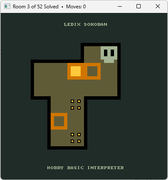 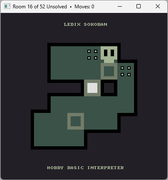
[updated 20/2/2026] Picnic wrote: The SNAP command now saves and loads the FULL console state, including the color palette! SNAP command upgrade + simple 2D tile engine in Hobby BASIC Just wanted to share something I've been playing with. The latest version of Hobby BASIC includes an important upgrade to the SNAP command. It now saves and restores the full console state, including the color palette. That opens up some interesting possibilities. Here's a quick step-by-step showing how it works, using a small ANSI tileset I made in DRAW. (mode 2, 8x8 pixel font, 80x75 canvas) 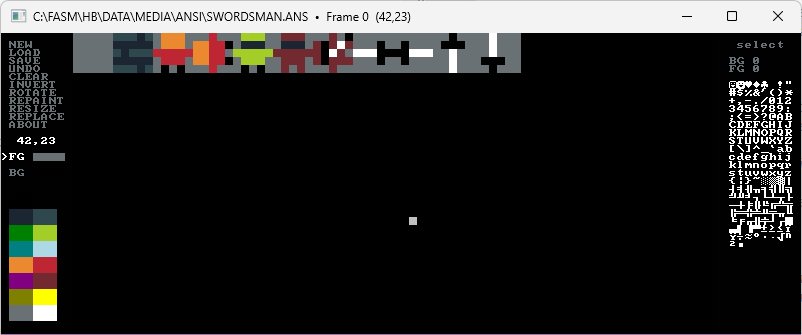
Step 1: Create an ANSI file (.ANS) Saved it as SWORDSMAN.ANS in DATA\MEDIA\ANSI. Minimal code to display it on the console: Code:
    title "Hobby BASIC - Swordsman"

    view 7
    screen 80, 75, 0
    cursor 0
    color 0, 0
    cls

    path_gfx$ = PATH("DATA\MEDIA\ANSI\SWORDSMAN.ANS")

    if SIZE(path_gfx$) = -1
        alert 0, "Not found", path_gfx$ : end
    endif

    ansi path_gfx$

    inkey
    end
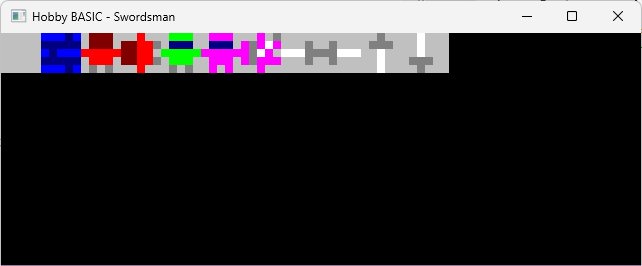
At this point, colors are wrong. DRAW saves the palette separately (SWORDSMAN_SCHEME.TXT in DATA\TEMP). Code:
    0x000000
    0x32261B
    0x008000
    ...rest of code
To load it: Code:
    dim colorPalette[] = \
        0x000000, 0x32261B, 0x008000, 0x808000, 0x3189EB, 0x800080, 0x008080, 0x757169,\
        0x010101, 0x4E482F, 0x27CEA3, 0xE6D8AD, 0x3326BE, 0x302973, 0x00FFFF, 0xFFFFFF

    for i = 0 to 15
        rgb i, colorPalette
    next
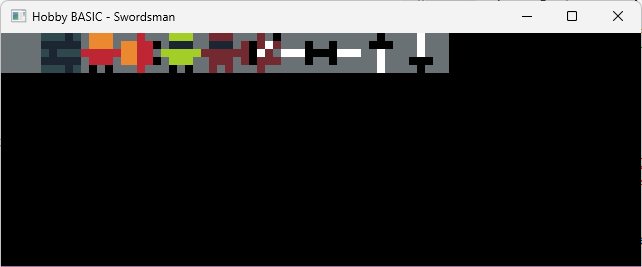
Step 2: Create a snapshot (.HB) Now save just the part we need as a snapshot. After loading the palette: Code:
snap 0, 0, 80, 5, PATH("DATA\SNAP\SWORDSMAN.HB")
Step 3: Load the snapshot From now on, we don't need the original ANSI file or the separate palette, the snapshot contains everything. Just update the paths: Code:
    title "Hobby BASIC - Swordsman"

    view 7
    screen 50, 40, 0
    cursor 0
    color 0, 0
    cls

    path_gfx$ = PATH("DATA\SNAP\SWORDSMAN.HB")

    if SIZE(path_gfx$) = -1
        alert 0, "Not found", path_gfx$ : end
    endif

    snap 0, 0, path_gfx$

    inkey
    end
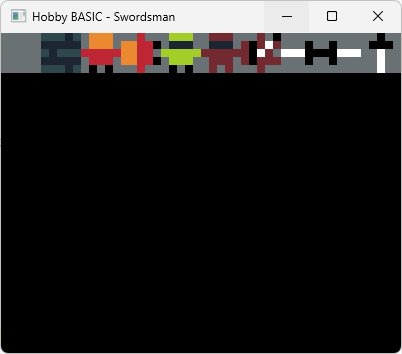
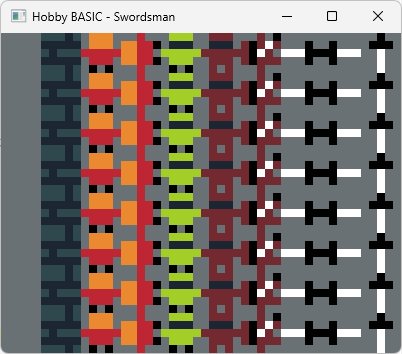
Why this matters: With this SNAP behavior: • No need for asset + palette + setup anymore • Just one file • Restores the exact console state It's a nice engine-level upgrade with a retro feel. SNAP is actually quite powerful, you can use it like a ready-made "blit" of the full console state: Code:
    for i = 0 to 7
        snap 0, i * 5, path_gfx$
    next
Building a simple 2D tile engine Here's an example using a SNAP file as a tileset. The idea: • Load a snapshot with graphics (SWORDSMAN.HB) • Cut it into individual tiles with bsave • Define a map array with tile indices • Draw the map with bload Code:
    title "Hobby BASIC - Swordsman"

    view 7
    screen 50, 40, 0
    cursor 0
    color 0, 0
    cls

    X1 fix (tileX * tileSize)
    Y1 fix (tileY * tileSize)

    dim map[8,8] = \
    1,1,1,1,1,1,1,1,\
    1,0,0,1,0,0,0,1,\
    1,2,8,0,0,5,0,1,\
    1,1,1,1,0,1,1,1,\
    1,0,0,0,0,0,0,1,\
    1,0,0,1,0,0,0,1,\
    1,4,4,1,0,5,4,1,\
    1,1,1,1,1,1,1,1

    map[].SIZE
    mapWidth  = V1
    mapHeight = V2
    tileSize = 5

    path_gfx$ = PATH("DATA\SNAP\SWORDSMAN.HB")

    if SIZE(path_gfx$) = -1
        alert 0, "Not found", path_gfx$ : end
    endif

    snap 0, 0, path_gfx$

    for i = 0 to 9
        bsave i * tileSize, 0, tileSize, tileSize, i
    next

    dim tileMap[mapWidth, mapHeight].ZERO
    tileMap[].COPY map[]

    cls
    screenRows = mapWidth * tileSize
    screenCols = mapHeight * tileSize
    screen screenRows, screenCols, 0

    for tileY = 0 to mapHeight - 1
        for tileX = 0 to mapWidth - 1
            bload X1, Y1, map[tileX, tileY]
        next
    next

    inkey
    end
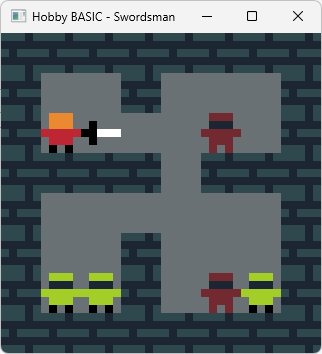
A simple 2D tile engine running inside a text console. No textures, no surfaces, no graphics APIs. Just state snapshots and memory moves. Hope this gives you some ideas. Cheers! Last edited by Picnic on 01 Jul 2026, 22:39; edited 5 times in total |
|||
|
21 Jan 2026, 21:04 |
|
|
Picnic 08 Feb 2026, 16:39
Hello everyone,
Enhancements in Hobby BASIC Version 2.4.8 ───────────────────────────────────────────── • The DEBUG window previously stopped displaying new messages when text exceeded 32KB (approximately 16,384 characters), which was problematic during extended debugging sessions. The window now automatically clears when text reaches a safe limit (32,000 characters). It clears and resumes writing from the beginning without disrupting the message flow. • The PAD() function has been extended to support both left and right padding directions. • The MID() function has been extended to support an optional third parameter. If the length parameter is omitted, the function returns a single character. • The TRIM() function now supports a shorthand syntax: TRIM(a$) trims both sides and is equivalent to TRIM(0, a$). • Super Tiny BASIC interpreter updated to version 1.2. Large portions of the code have been rewritten. The resulting code is now smaller, more readable, and significantly faster, while retaining all the features of the previous version. • The Hobby BASIC manual has also been updated to reflect version 2.4.8. • Example programs have been updated to make use of the new PAD, MID, and TRIM functions. • Two minor bugs in the interpreter have been fixed. • Upcoming UDP Network Debugger: A comprehensive debugger suite leveraging Hobby BASIC's UDP functions is in development. A teaser script (NETWORK.BAS) is available in EXAMPLES\UDP. 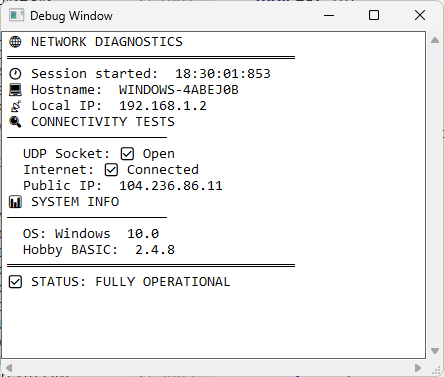
[updated 16/2/2026] Picnic wrote: Upcoming UDP Network Debugger: A comprehensive debugger suite leveraging UDP Network Debugger 1.0 – Released! -- written entirely in Hobby BASIC. The new UDP Network Debugger tool is now available. This program enables UDP message sending and receiving for network diagnostics. It can scan ports, display messages in hex or normal mode, log traffic, filter by IP, send broadcasts, and show real-time traffic graphs. For two-way communication, simply run it in two windows. Source: https://0x0.st/PB6x.BAS • Requires Hobby BASIC version 2.5.0 (or newer). • Fully compatible with 2.4.8 – all existing projects run without issues. 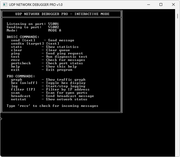
[updated 25/2/2026] Enhancements in Hobby BASIC Version 2.5.3 ──────────────────────────────────── • Fixed a bug related to the use of the continuation character \ when followed by EOF. An important fix. • Fixed a bug in the %include directive that displayed the wrong line number in error messages. A minor issue, but the solution required some work. • The INSERT and DELETE array commands were rewritten from scratch. They now behave as one would expect. • Improved error reporting: in some cases the wrong line number was shown. A small but annoying problem. • Fixed a significant bug in the PRINT/DEBUG commands, where numeric values were incorrectly treated as string pointers. The bug was caused by my own carelessness in a previous update. • The ALERT command can now accept only one argument (instead of three), using default caption and flags. Handy for quick messages. • Improved the stability of option 3 in the VIEW command (Center Screen). The code is now more reliable after several tests. • A significant addition to the DRAW tool: the palette can now be changed dynamically by pressing INSERT and loading a SCHEME file. A future version will include a dropper-like tool, allowing the user to pick any screen color directly into the 16-color RGB palette. ► New Examples in version 2.5.3 DOX is a Sokoban-style puzzle game. Push the yellow crates onto the slots to make them disappear. The gray DOX crates are different, they cannot enter the slots. Plan your moves carefully. Features: 🔹ANSI graphics with custom 16-color palette 🔹Smooth board tilt animation for invalid moves 🔹Push multiple crates in a row 🔹Two crate types: yellow CRATE (disappear in slots) and gray DOX (block slots) 🔹Complete UNDO system with move history 🔹Victory effect with particle animation 🔹Level progress saved automatically All of this runs directly inside the Windows 11 CMD.EXE console. 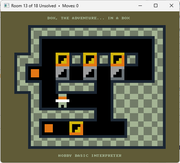
A Klotski-style sliding block puzzle game. Move blocks to free the target white block to the top exit zone. Features: 🔹Classic Klotski sliding block puzzle 🔹Drag blocks with mouse (smooth movement) 🔹Vertical or horizontal movement only (per block) 🔹Real-time collision detection 🔹Target block (white) must reach top exit zone 🔹Level progress saved automatically 🔹13 progressive levels All of this runs directly inside the Windows 11 CMD.EXE console. 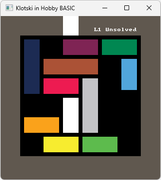
[updated 9/3/2026] Enhancements in Hobby BASIC Version 2.5.4 ──────────────────────────────────── ✨ New feature in Hobby BASIC: User-defined TYPEs with two syntax forms! Added support for user-defined types (structures) with two declaration methods: 1. Compact syntax (single line) Code: type Deck (Suit$, Value) 52 2. Block syntax (multiple lines with ENDT) Code:
type Player
    Name$, Score, Level
    Health = 100
    Class$ = "Warrior"
    Strength, Dexterity, Intelligence
    Inventory$, Equipment$, Spells$
    Gold = 1000, Experience, Kills = 0, Deaths
    LastSave$ = "2026-01-01"
endt 100
📦 Example with all features Code:
! type declaration with all features
type Player
    ! Basic members
    Name$, Score, Level

    ! Member with initialization
    Health = 100

    ! String initialization
    Class$ = "Warrior"

    ! Comma-separated on the same line
    Strength, Dexterity, Intelligence

    ! Line continuation
    Inventory$, \
    Equipment$, \
    Spells$

    ! Mixed style
    Gold = 1000, Experience, \
    Kills = 0, Deaths

    ! Empty lines are ignored
    LastSave$ = "2024-01-01"
endt 100    ! Create 100 player instances
This example demonstrates: • Basic members • Initializations • Comma-separated on the same line • Line continuation with backslash • Mixed style • Comments • Empty lines (ignored) 🎮 Simple usage example Code:
type Player
    Name$ = "Player"
    Score = 0
    Level = 1
    Class$ = "Novice"
endt 10

Player:[0].Name$ = "Aragorn"
Player:[0].Score = 1500
Player:[0].Level++
Player:[0].Class$ = "Ranger"

print : print
print PAD("Name", " ", -8), PAD("Class", " ", -8), "Score"
print GEN(25, "-")        ! Print separator line

for i = 0 to SIZE(Player:[]) - 1
    print \
    PAD(Player:[i].Name$, " ", -8), \
    PAD(Player:[i].Class$, " ", -8), \
    Player:[i].Score
next

! Shortcut notation for first element
Player:[].Level = 10      ! Same as Player:[0].Level
print Player:[].Class$    ! Prints first player's class
🔧 Advanced example: Local TYPE & BYREF Code: ! Local type inside subroutine with byref parameters sub process_player(p:[]) ! Modify the passed type array for i = 0 to SIZE(p:[]) - 1 p:[i].Level = p:[i].Level + 1 p:[i].Score = p:[i].Score + 100 p:[i].Name$ = "Sir " + p:[i].Name$ next ends ! Local type declaration inside main subroutine sub main() ! Local type with new syntax local type Player Name$ = "Unknown" Score = 0 Level = 1 Class$ = "Novice" endt 3 ! Initialize players Player:[0].Name$ = "Aragorn" Player:[0].Class$ = "Ranger" Player:[0].Score = 1000 Player:[1].Name$ = "Legolas" Player:[1].Class$ = "Archer" Player:[1].Score = 800 Player:[2].Name$ = "Gimli" Player:[2].Class$ = "Warrior" Player:[2].Score = 900 print "=== BEFORE ===" for i = 0 to SIZE(Player:[]) - 1 print \ PAD(Player:[i].Name$, " ", -12), \ PAD(Player:[i].Class$, " ", -12), \ PAD(STR(Player:[i].Score), " ", -8), \ PAD("Lv.", " ", -4), \ Player:[i].Level next ! Call subroutine with byref parameter process_player(byref Player:[]) print : print "=== AFTER ===" for i = 0 to SIZE(Player:[]) - 1 print \ PAD(Player:[i].Name$, " ", -12), \ PAD(Player:[i].Class$, " ", -12), \ PAD(STR(Player:[i].Score), " ", -8), \ PAD("Lv.", " ", -4), \ Player:[i].Level next ends ! Call main subroutine main() inkey end This example demonstrates: • Local TYPE with new syntax (local type Player ... endt 3) inside a SUB • BYREF parameter (byref p:[]) passing the type by reference • Changes in the SUB affect the original TYPE array • Member access (p:[i].Level, Player:[i].Name$) • SIZE() for TYPE arrays (SIZE(p:[])) 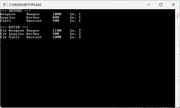 Last edited by Picnic on 01 Jul 2026, 22:47; edited 4 times in total |
|||
|
08 Feb 2026, 16:39 |
|
|
Picnic 25 Mar 2026, 01:42
Hello everyone,
Enhancements in Hobby BASIC Version 2.5.5 • SPLIT() now supports multiple delimiters – consecutive delimiters are compressed, no empty tokens. • Subroutines return strings (and integers) directly – no more intermediate variable. • Full Windows registry module (REGISTRY.BAS) – read/write strings and DWORDs, delete values/keys. Includes convenience functions SaveSetting / LoadSetting for application data under HKEY_CURRENT_USER\SOFTWARE\YourApp. • System information demo (SYSINFO.BAS) – shows how to retrieve CPU name, Windows version, build number, etc. using the registry module. • Backward compatible – all old code continues to work unchanged. The new registry module makes persistent settings, high scores, and system information trivial. Subroutine string returns clean up code dramatically. Try SYSINFO.BAS in the EXAMPLES\API folder ───────────────────────────────────────────── Atlas, a Prominent Titan is a turn-based puzzle game where you guide Atlas through a series of challenging levels. Original concept by James Noeckel (Atlas Shrank) It is written entirely in Hobby BASIC, using handcrafted ANSI 16-color graphics created in DRAW. The gameplay includes physics, gravity, rock carrying, switches, barriers, undo system, level progression, sound, and a splash screen. Use Atlas' strength to push rocks, activate switches, and overcome obstacles. You can lift rocks above your head to reach higher ground and drop them strategically to solve each puzzle. Features: • Tile-based graphics with ANSI / 16-color palette • Movement system with step climbing (up/down) • Rock physics: pushing, carrying, dropping, and gravity • Switches that control barriers (open / close) • Rocks can block barriers, preventing them from closing • Doors that complete the level when stepped on • Full undo system (up to 1000 moves history) • Save progress (solved levels are remembered) • Auto-resume from the first unsolved level All of this runs directly inside the Windows 11 CMD.EXE console. 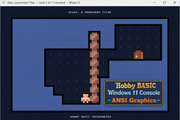
Gameplay Video: ▶ Watch Atlas in action Last edited by Picnic on 01 Jul 2026, 22:45; edited 4 times in total |
|||
|
25 Mar 2026, 01:42 |
|
|
Picnic 05 Apr 2026, 16:05
Hello everyone,
A high-score table stored entirely in the registry — no external files needed. Modules and Description • REGISTRY.BAS -- Low-level routines for reading/writing the registry (strings & DWORDs) • HIGHSCORE.BAS -- High-score table management (10 entries, automatically sorted) • TABLE.BAS -- Demo program with menu and debug support HIGHSCORE.BAS is a module written in Hobby BASIC. It implements a complete, self-contained high-score table with 10 entries, stored in the Windows registry. It’s a small yet fully functional piece of code that can be integrated into any game with just 2–3 lines of code. TABLE.BAS is a full demo program showcasing the capabilities of the HIGHSCORE.BAS module. It provides a simple menu to test all high-score table features: The screenshots (Windows 11 CMD.EXE and Registry Editor) demonstrate: • Adding new scores • Resetting to default values • Clearing all entries (while keeping the registry key) • Completely deleting the registry key • Exiting the program 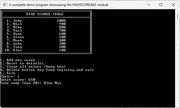 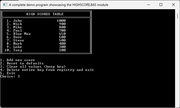 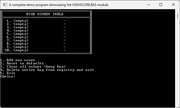 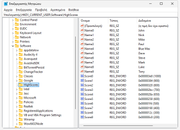
Quote: It’s a small yet fully functional piece of code that can be integrated into any game with just 2–3 lines of code. Code:
    ! ----------------------------------------------------------------------------------------
    !  EXAMPLE INTEGRATION
    ! ----------------------------------------------------------------------------------------

    %include "EXAMPLES\MODULES\REGISTRY.BAS"
    %include "EXAMPLES\MODULES\HIGHSCORE.BAS"

    InitHighScores()
    PrintHighScores()

    ! After game over
    if AddHighScore(playerScore)
        PrintHighScores()
        print "New high score!"
    endif
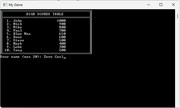 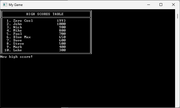
From that point on, the only limit is your imagination. Even when working within the Windows console. (ANSI art by Zeus II) 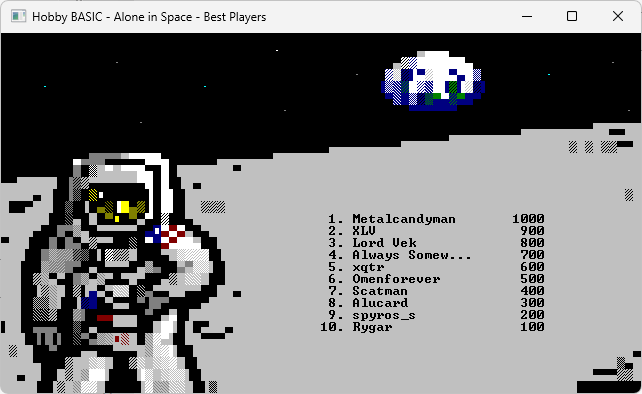 Last edited by Picnic on 01 Jul 2026, 21:24; edited 3 times in total |
|||
|
05 Apr 2026, 16:05 |
|
|
Picnic 17 Apr 2026, 12:27
Hello everyone,
Enhancements in Hobby BASIC Version 2.5.6 ─────────────────────────────────────────────── 🚀 [b]New Feature: STATIC Variables in Subroutines This release introduces support for static variables (STATIC) inside subroutines (SUB), a classic feature familiar from languages like C, Visual Basic, and older BASIC dialects. A variable declared with the STATIC keyword inside a SUB: • Preserves its value between successive calls to the subroutine. • Is initialized only once, the first time the declaration is executed. • Has local scope – accessible only within the declaring subroutine. • In nested subs or recursion, each subroutine instance has its own independent static variables. • Name resolution order: LOCAL → STATIC → GLOBAL Some basic examples 📘 Basic example Code: times 5 foo() sub foo() static x=10 x++ print x ends ! 11 12 13 14 15 🔁 Init ONLY once Code: sub foo() static x=100 print x x++ ends foo() foo() foo() ! 100 101 102 📦 Nested subs (different statics) Code: times 3 foo() sub foo() static x=10 x++ print "foo:", x foo1() ends sub foo1() static x=100 print "foo1:", x x-- ends ! foo: 11 ! foo1: 100 ! foo: 12 ! foo1: 99 ! foo: 13 ! foo1: 98 🌀 Recursion Code: sub foo(n) static x=0 x++ print "level:", n, "x:", x if n > 0 then foo(n-1) ends foo(3) ! level:3 x:1 ! level:2 x:2 ! level:1 x:3 ! level:0 x:4 🔄 Re-declaration same static Code: sub foo() static x=10 static x=999 print x x++ ends foo() foo() ! 10 ! 11 🏆 BASIC shadowing (local > static > global) Code: x = 100 sub foo() static x = 10 x = x + 1 print "static:", x local x x = 1 x = x + 1 print "local:", x ends foo() foo() print x ! static:11 ! local:2 ! static:12 ! local:2 ! 100 ⚡Toggle / Flip-Flop Code: sub ToggleDebugMode() static enabled = 0 enabled = not enabled if enabled print "Debug mode ON" else print "Debug mode OFF" endif ends ToggleDebugMode() ! Debug mode ON ToggleDebugMode() ! Debug mode OFF ToggleDebugMode() ! Debug mode ON 📊 Fast Fibonacci Code: sub FastFibonacci(n) static a = 0, b = 1, lastN = -1 if n <= 1 rets n endif if n < lastN a = 0 b = 1 endif lastN = n for i = 2 to n temp = a + b a = b b = temp next i rets b ends print FastFibonacci(35) ! 9227465 Useful links: • Online Guide — learn Hobby BASIC the easy way • Full Feature Overview — all capabilities in one page • YouTube Video Tour — see it in action • Chrome blocking? — fix here • Download — the latest version Last edited by Picnic on 01 Jul 2026, 22:46; edited 1 time in total |
|||
|
17 Apr 2026, 12:27 |
|
| Goto page Previous 1, 2, 3, 4, 5, 6, 7 Next < Last Thread | Next Thread > |
Forum Rules:
|